How to Check Whether Your Business Already Shows Up in Google’s AI Summaries
Google's Search Console now has a Generative AI Performance report. Here's how to find it, what it measures (and what it doesn't), and how to read it without jargon.
D
Dariel Corchado
MD3 Digital Solutions
“Does my business show up when AI answers?” It’s the question a lot of business owners are asking now. Until recently, the only way to answer it was to ask Google and note by hand whether your site got cited. That’s slow, it changes depending on who asks, and it leaves no record.
This year, Google offers a better way: a report inside Search Console that measures how many times links to your site were shown in AI summaries. Here’s how to find it and how to read what you see, without the jargon.
What the generative AI performance report is
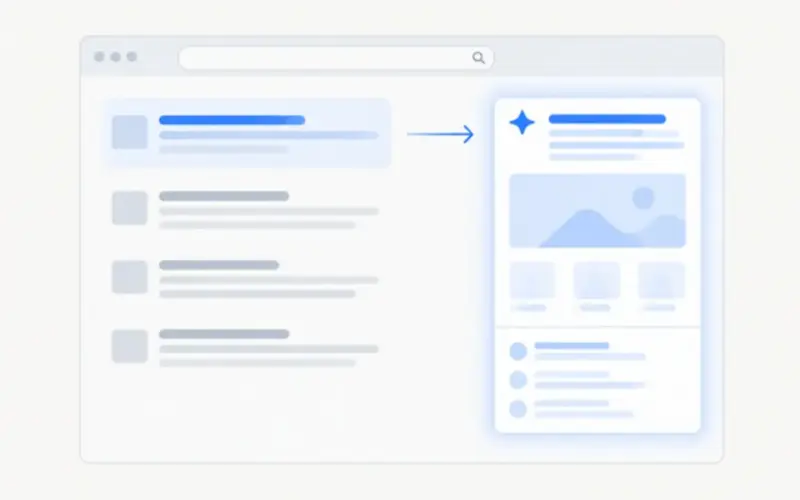
Google announced the Generative AI Performance report on June 3, 2026, and made it available to all sites on August 31, 2026. It’s a Search Console report (Search Console is Google’s free tool for site owners), and it covers AI Overviews, the summaries above some results, and AI Mode, the conversational search experience.
A detailed guide from Verity Score, dated November 6, 2026, explains how it works. The idea is simple: instead of asking AI over and over, you look at your own site’s data. The report counts the times a link to your site was shown inside an AI summary. That’s an impression.
What the report shows (and what it doesn’t)
The report shows a single metric, impressions, and lets you view it by page, country, device, and date.
Just as important is what it doesn’t show: it doesn’t tell you which question triggered the summary, how many clicks your site received, the click-through rate or the position, or what the answer said about your business. AI Overviews and AI Mode are reported together, not separated.
On clicks, Google has nothing new to announce: Gary Illyes said on November 2, 2026, according to Search Engine Journal, that the team is interested in providing more data, but there’s nothing to announce yet. For now, the report tells you how many times Google showed you, not how many visits it brought.
How to find it, step by step
Sign in to Search Console with the account that manages your site and pick the right property. Without verification, there’s no report.
Look for the Generative AI Performance report in the Search Console menu, in the performance section.
Look first at impressions by page: the ones that appear most are the ones Google already considers useful for its summaries.
Switch the dimensions: country, device, and date. A local business should see its impressions concentrated in its own country.
If the report doesn’t appear, don’t jump to conclusions: your site may not have enough impressions yet, and that doesn’t prove it doesn’t show up in any summary. Recent data can also be preliminary.
Check the inclusion control: under Settings, then Generative AI in Search, there’s a control that decides whether your content can appear in these features. By default it includes you; if someone excluded it by mistake, your content won’t appear in the summaries. That exclusion isn’t a negative signal for the rest of search, and it doesn’t control AI model training, which is a different setting (Google-Extended).
How to read what you see
High impressions on a page: Google is already showing it in its summaries. Update it and make sure the prices and details are current.
Impressions in several countries: if you only sell in the United States, check whether your content is reaching an audience that isn’t yours.
Only the blog appears and the product pages don’t: your product information may not be in clear, crawlable text, or those pages may not answer questions people ask.
Few impressions or no report: that’s not a failure, it’s a starting point. Keep building the basics: indexable pages, clear content, and consistent details.
Don’t compare one day with another. Look at weeks: an impression isn’t a visit. The value is in the trend and in which pages it covers, not in a single number.
What to do with that information
The report isn’t a trophy, it’s a work tool. The pages with the most impressions are your priority: update them first and make sure the information is correct. If an important page never appears, check that it’s indexed and that its content is in text. Repeat the check once a month, not every day: AI summaries change often and recent data can be preliminary.
The question “do I show up in AI?” now has an answer you can check yourself. You don’t need to ask a chatbot or trust a third-party report: the data is in your Search Console.
Want to know where your business shows up in AI?
At MD3 Digital Solutions we go through your site’s report with you, explain what the data means, and tell you which pages to improve first so you show up more and better in Google’s AI summaries. Contact us.
Agencies are selling "GEO" as a secret trick. Google's own guide says there are no extra technical requirements: appearing in AI Overviews is good SEO. Here's what to do instead.
Since late October 2026, Google has been showing the AI Overview for many brand searches where the knowledge panel used to be. Here's what changed and how to check what AI says about your company.
As of November 4, 2026, Microsoft Clarity's Brand Agents can surface products from eligible WooCommerce stores in Copilot, Bing, and MSN. Here's what they are, how to set them up, and what they don't promise.