Google Moved Brand AI Overviews to the Right Column. Here’s What That Means for Your Business
Since late October 2026, Google has been showing the AI Overview for many brand searches where the knowledge panel used to be. Here's what changed and how to check what AI says about your company.
D
Dariel Corchado
MD3 Digital Solutions
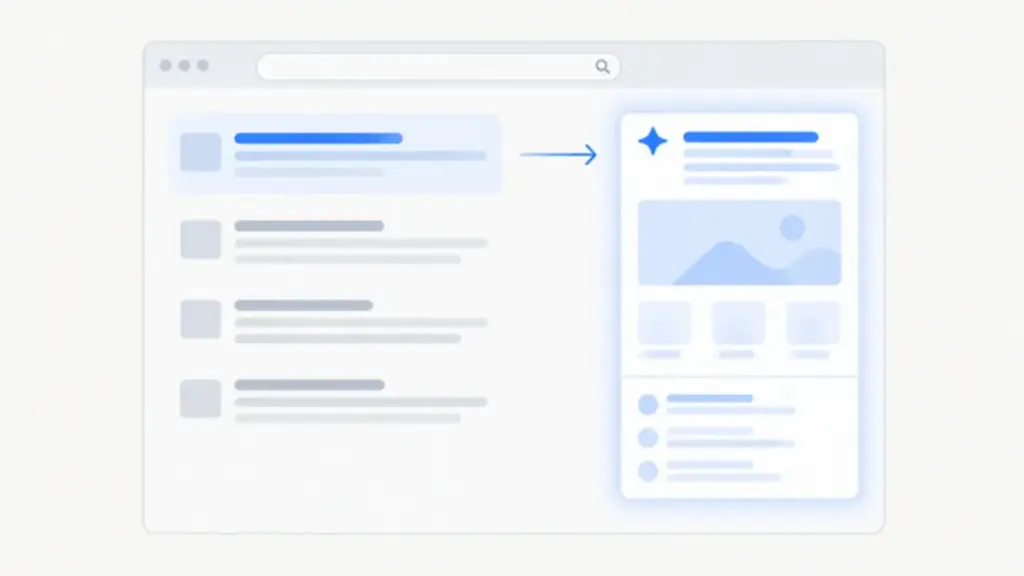
The short version: since late October 2026, Google has been showing AI Overviews for brand searches in the right-hand column of desktop results, the spot where the knowledge panel used to live. Your official site gets the top of the main column back. But the box next to it isn’t a fact sheet anymore. It’s text written by Google’s AI, built from sources Google picks.
Try this. Google your company’s name and look to the right.
Until a few weeks ago, that’s where the knowledge panel sat: logo, address, year founded. For a lot of brand searches, that space now holds an AI-written summary. The old question was “Do we show up first?” There’s a new one that matters just as much: what is Google telling people about us before they click?
What changed with AI Overviews for brand searches
Barry Schwartz reported it on Search Engine Roundtable on Monday, November 2, 2026: Google “moved the AI Overviews for many brand-related keywords to the right column.” Before that, they appeared at the top or in the middle of the main results.
Google didn’t announce it. David McSweeney spotted it first, on October 31, followed by Chris Long of Nectiv on the morning of November 2. The published examples are all huge brands: Apple, Zillow, Coca-Cola, Google itself. Search for Apple and the main column opens with apple.com and its sitelinks, while the right column shows an “AI Overview” panel. Schwartz’s summary: Google is “essentially replacing brand knowledge panels with AI Overviews.”
Now the fine print. The report says “many” brand searches, not all, and nobody has published a count. Every example is from US desktop results. And Google hasn’t said whether this is a test or a permanent change.
Why Google made the move now
Because by September, AI Overviews had pretty much taken over brand searches.
Ahrefs published a study on October 2, 2026, covering 232.8 million US desktop crawls, 92.5 million of them branded. On September 29, 82.91% of branded results showed an AI Overview. The July average had been 61.3%.
For big brands, the jump was even sharper. In a panel of 100 major brands, only 5 out of 98 had an AI Overview on July 1. By September 30, it was 63 out of 100, and in 48 of those the summary sat in position one, above the brand’s own website.
Seen that way, moving it to the side is almost a fix. Schwartz wrote that the new placement “works a lot better than having it in the main results.” Then he added the part that matters: it’s “not ideal to rely on AI to do a good enough job writing about your brand, better than your own website.” We agree with him.
AI Overview vs. knowledge panel: it comes down to control
An AI Overview is a summary that Google’s AI writes from several sources and displays on the results page, with links to the pages it cited. It isn’t an ad, and it isn’t an organic listing.
The knowledge panel was a data card: name, description, founders, founding date, headquarters, links. It pulled from Wikipedia, Wikidata, your site’s schema, and profiles a business could claim.
With a knowledge panel, you could claim it and suggest edits. Google had the final say, but there was a door. With an AI Overview, a model writes the text and Google picks the sources. You don’t edit the text anymore. You influence the sources.
Here’s how that goes wrong. In Zillow’s result, the AI-written text says the company was founded in 2006, while the data row in the same panel says “Founded: 2004.” Both numbers have a basis (Zillow was founded in 2004 and launched its website in 2006), but the panel shows both years with no explanation. If that happens to Zillow, think about what it might say about a family hardware store whose website hasn’t been touched since 2015.
How to check what Google says about your brand
You don’t need paid tools. A desktop computer, a private browser window, and about five minutes will do.
Search your exact company name in a private window. Just the name. Don’t add your city or “website” unless that’s how customers actually search for you.
Look at the main column. Is your official site first, with the right sitelinks? If another page outranks you, write it down. That’s a separate ranking problem.
Look at the right column. Do you see an “AI Overview” panel or the classic knowledge panel? Take a dated screenshot. Google is still testing variations, and you’ll want a record.
Read the summary like a customer would. Does it say what you actually do, or does it describe you in generic terms? Look for wrong dates, services, prices, or locations.
Check which sources it cites. Is your site there? In the Ahrefs study, out of 57 big-brand summaries with a source list, Wikipedia showed up in 41 (71.9%), YouTube in 22, and LinkedIn in 13. Your website isn’t always the first thing the AI reads.
Repeat on your phone, and with one extra word. Try “name + city” or “name + main service.” Summaries change from one query to the next.
Where Google gets what it says about your business
You can’t write the AI Overview. You can improve what the AI reads. There are four sources worth your time.
1. Your own website. Your homepage and About page should say, in plain text, what your company does, where it works, and who it serves. If that information only lives inside an image or a vague tagline, the AI will look for it somewhere else. Every page also needs its own title and meta description. We walk through it in how we audit your website’s metadata and schema.
2. Organization or LocalBusiness schema. This is a block of code that tells Google, in a format machines understand, who your business is: exact name, URL, phone, address, and official profiles (sameAs). It goes on your homepage. Here’s an example with made-up data:
To be straight with you: schema doesn’t guarantee a panel or a citation in the summary. It helps Google identify you. Google still wants to see the same facts repeated by independent sources.
3. Your Google Business Profile. It’s one of the sources Google uses for local data. Keep it claimed, verified, and matching your website: name, address, phone, hours.
4. Directories and third-party profiles. LinkedIn, Facebook, your industry’s directories and, if you have one, your Wikipedia article. Write your name, address, and phone number exactly the same way everywhere. And fix errors where they start. If a directory still lists your old phone number, the AI may keep citing it even if your website is perfect. It’s one of the most common SEO and GEO errors we find.
What to do if the AI Overview gets your business wrong
Save evidence. A dated screenshot, the exact wrong text, and the sources it cites.
Fix your own site first: homepage, About page, schema.
Fix the cited source, if you can edit it or request a change.
If you still see a knowledge panel, look for the “Claim this knowledge panel” option. Once you’re verified, you can suggest edits, and Google decides whether to accept them. Not every panel can be claimed, and there’s no confirmation that this works for the AI-written text.
Request a recrawl of your key pages in Search Console, then search your brand again in two or three weeks.
What nobody can promise you yet
That your brand will see this layout. The published examples are big US brands. There are no confirmed cases for small or local businesses.
How much traffic you’ll gain or lose. There’s no public data on clicks by AI Overview placement for brand searches. According to PPC Land, Search Console’s generative AI report shows impressions but not clicks or queries. And the click-loss studies going around are about informational searches, not brand searches.
That schema or your Business Profile will make the errors disappear. They improve the sources. That’s it. What works is the loop: check, fix the source, check again.
Frequently asked questions
What are AI Overviews for brand searches?
They’re AI-generated summaries Google shows when someone searches for a company’s name. Since late October 2026, many US desktop brand searches show them in the right column, where the knowledge panel used to be.
Did Google get rid of the knowledge panel?
Not entirely. For many brand searches the AI Overview has taken its place, but it doesn’t happen on every search, and Google hasn’t confirmed whether the change is permanent.
Can I edit what the AI Overview says about my business?
Not directly. A model writes the text from sources Google chooses. What you can do is fix those sources: your website, your schema, your Google Business Profile, and the directories that list your business.
Which sources does Google cite in brand AI Overviews?
In Ahrefs’ October 2026 study, Wikipedia appeared in 71.9% of big-brand summaries that listed sources, followed by YouTube and LinkedIn. The brand’s own website didn’t always make the list.
Does this affect small businesses?
There are no confirmed examples yet; the published cases are large US brands. Still, checking your brand search today costs nothing and shows you which sources Google is reading.
How MD3 Digital Solutions can help
Almost nobody searches their own brand in a private window and reads the summary the way a customer would. That’s normal. It’s what we do.
We review what shows up when someone searches for your business: the AI Overview or knowledge panel, the sources it cites, your site’s metadata and schema, and whether your details match across your Google Business Profile and directories. You get a clear list of fixes, written in plain English.
Want to know what Google and AI see when they look up your business? Contact us, email [email protected], or call (786) 757-4345.
Sources
Search Engine Roundtable, “Google AI Overviews For Brands Moved To Right Column,” Barry Schwartz, November 2, 2026. Cited via PPC Land.
Agencies are selling "GEO" as a secret trick. Google's own guide says there are no extra technical requirements: appearing in AI Overviews is good SEO. Here's what to do instead.
Google's Search Console now has a Generative AI Performance report. Here's how to find it, what it measures (and what it doesn't), and how to read it without jargon.
As of November 4, 2026, Microsoft Clarity's Brand Agents can surface products from eligible WooCommerce stores in Copilot, Bing, and MSN. Here's what they are, how to set them up, and what they don't promise.